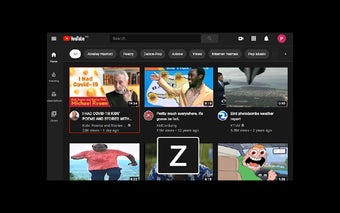
YouTube Kbd Nav: Enhance Your YouTube Navigation with Keyboard Shortcuts
YouTube Kbd Nav is a free Chrome extension developed by philippefanaro. It falls under the category of Browsers and is classified as an Add-ons & Tools subcategory. This extension aims to enhance your navigation experience on YouTube by providing a wide range of keyboard shortcuts.
With YouTube Kbd Nav, you can now perform 99% of your usual YouTube actions using your keyboard. The extension offers a comprehensive set of shortcuts that allow you to easily navigate through the platform. Some of the notable shortcuts include:
- Pressing 'z' allows you to cycle forwards on the thumbnails, making it easier to browse through videos.
- 'x' enables you to cycle backwards on the thumbnails, giving you more control over your video selection.
- Using the 'Enter' key, you can quickly navigate to the selected thumbnail, saving you time and effort.
- Pressing 'q' takes you to the YouTube Home page, ensuring easy access to your personalized content.
- 'h' allows you to access your YouTube History, making it convenient to revisit previously watched videos.
- The '\' key can be used to toggle the video player's focus, providing a seamless viewing experience.
- 'v' and 'n' allow you to like or dislike videos with a simple keystroke, enabling quick feedback.
Enhance your YouTube navigation experience with YouTube Kbd Nav and enjoy the convenience of controlling most actions using your keyboard.